
The Critical Role of IPTV Media Player Applications
An IPTV subscription provides the digital content streams, channel feeds, and video-on-demand libraries, but the player software installed on your hardware governs how seamlessly that content is rendered, organized, and navigated. The difference between an ordinary viewing experience and a truly luxurious one often comes down to selecting the best IPTV player application for your operating system.
Modern IPTV applications do far more than simply play video files. They interpret XMLTV Electronic Program Guide (EPG) metadata, manage channel favorites, decode multiple audio streams, render closed captions, cache video frames to absorb localized network jitter, and manage multi-screen viewing. In this comprehensive guide, we analyze the leading IPTV applications in 2026, comparing interface fluidity, decoder performance, cross-platform availability, and ease of configuration with Brampton IPTV.
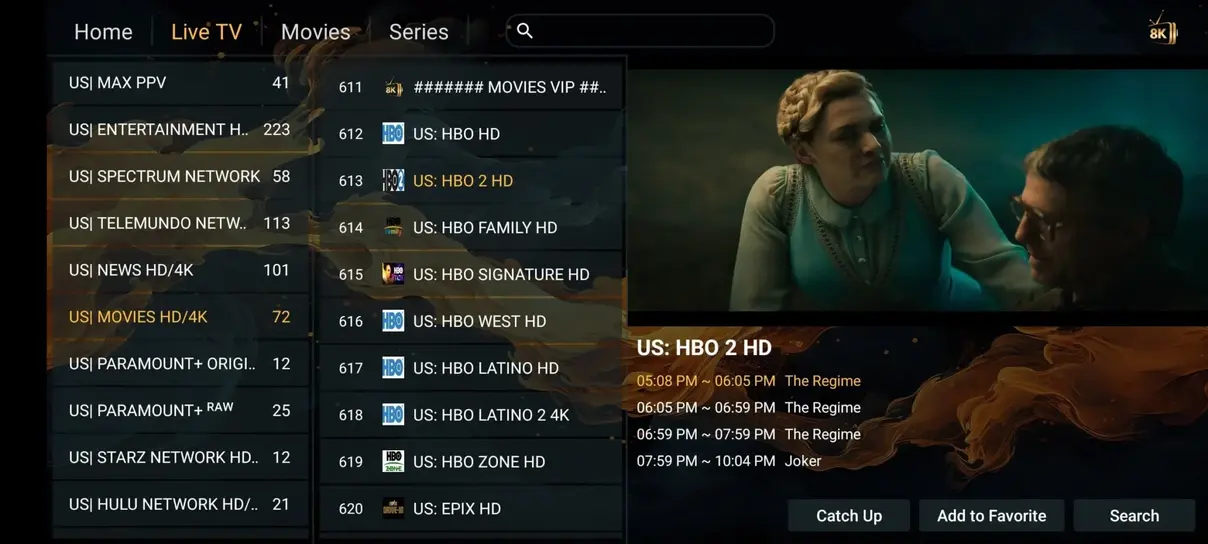
1. TiviMate IPTV Player (The Gold Standard for Android TV & Firestick)
Widely regarded by home theater enthusiasts and cord-cutters as the premier IPTV player for Android-based television hardware, TiviMate offers an interface that closely mimics high-end cable and satellite guide systems. Developed specifically for remote control navigation rather than touchscreen devices, TiviMate provides an intuitive grid-based EPG, rapid channel preview panes, and instantaneous switching.
Key features of TiviMate include:
- Multi-Screen Multiview: Display up to 9 live channels simultaneously on a single television screen, making it indispensable for major sports tournaments and election night broadcasts.
- Automated Scheduled Recording: Program local recordings directly to internal flash memory or attached USB external hard drives.
- Custom Grouping & Favorite Channels: Reorder categories, hide unwanted foreign language sections, and assemble personalized favorites lists.
- Customizable Buffer & Audio Passthrough: Adjust network buffer sizes from 0 to 5 seconds and pass raw Dolby Digital audio to your surround sound receiver.
TiviMate supports both M3U playlist URLs and Xtream Codes API login credentials, linking effortlessly with Brampton IPTV within 60 seconds.
2. IPTV Smarters Pro (Universal Multi-Platform Champion)
If you switch between devices regularly—for example, watching television on an Amazon Firestick in the living room, an iPhone while commuting, and a Windows laptop at the office—IPTV Smarters Pro provides unmatched cross-platform versatility. Available for Android, iOS, Windows, macOS, and selected Smart TVs, it delivers a consistent, modern dashboard layout.
IPTV Smarters Pro breaks content into clear modules: Live TV, Movies, Series, and Catch-Up. It features integrated video players (including ExoPlayer and VLC), parental controls with 4-digit PIN protection, and seamless multi-user playlist switching. When connecting your Brampton IPTV subscription, entering your username, password, and portal address into Smarters loads your full 35.000+ channel catalog instantly.
3. HOT Player (Optimal Performance for Samsung & LG Smart TVs)
Installing software on proprietary Smart TV operating systems such as Samsung Tizen OS and LG webOS can occasionally be challenging due to store restrictions. HOT Player has emerged as a standout solution for Smart TVs, offering optimized hardware acceleration, minimal memory footprint, and rapid remote response times.
Setup is conducted via a web-based activation dashboard: when you launch HOT Player on your Smart TV, it displays a unique device MAC address and security key. By visiting the HOT Player upload portal and pasting your Brampton IPTV M3U link, the playlist links directly to your screen without requiring typing complex URLs with a clumsy TV remote.
4. IBO Player (Lightweight & Fast EPG Parsing)
IBO Player is designed for speed. On older streaming sticks or entry-level smart televisions where heavy applications can cause interface stutter, IBO Player strips away unnecessary background animations to deliver near-instant channel loading and fluid menu scrolling. It supports 4K HDR playback, external audio tracks, and automatic subtitle synchronization.
5. XCIPTV Player (Rich Media Layout with Built-In Players)
XCIPTV offers a visually appealing tile-based dashboard that appeals to viewers who prioritize cinema and on-demand series. With native ExoPlayer and VLC Player integration, XCIPTV supports dynamic aspect ratio adjustments, audio track selection, and integrated Speed Test diagnostics to verify whether your home internet connection meets 4K broadcast requirements.
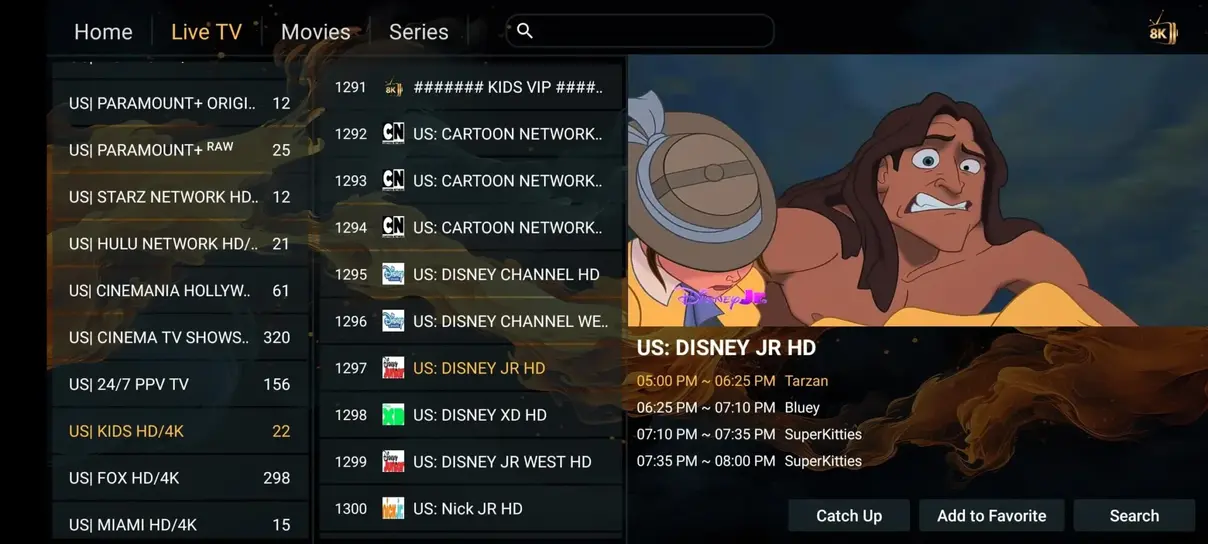
Technical Feature Comparison Matrix
TiviMate: Android TV / Fire TV | Remote Navigation: 10/10 | Multi-Screen: Yes (up to 9) | DVR Recording: Yes | Best for TV power users.
IPTV Smarters Pro: Android, iOS, Windows, Mac | Remote Navigation: 8/10 | Multi-Screen: Yes (up to 4) | DVR Recording: Limited | Best for multi-device households.
HOT Player: Samsung Tizen, LG webOS, Android | Remote Navigation: 9/10 | Multi-Screen: No | Fast MAC Activation | Best for Smart TV direct streaming.
IBO Player: Samsung, LG, Android, Apple TV | Remote Navigation: 8/10 | Multi-Screen: No | Ultra-Lightweight | Best for smooth performance on budget sticks.
How to Choose the Right Player for Your Brampton IPTV Subscription
If your primary viewing occurs on an Amazon Firestick 4K or an Android TV box, investing in TiviMate or downloading IPTV Smarters Pro is our strongest recommendation. For direct streaming on a Samsung or LG television without purchasing an external dongle, HOT Player or IBO Player provides the smoothest integration. For mobile devices, GSE Smart IPTV and IPTV Smarters Player for iOS offer top-tier touch controls.
Detailed Configuration & Best Practices for IPTV Players
Regardless of whether you choose TiviMate, IPTV Smarters Pro, or HOT Player, implementing proper internal configuration parameters ensures you extract maximum reliability and visual fidelity from your Brampton IPTV stream feeds. Below are essential settings verified by our technical testing team:
1. Stream Format: MPEG-TS vs. HLS (m3u8)
Inside the player settings, you can often select the default output format. While MPEG-TS provides the absolute lowest latency for live broadcasts, HLS (HTTP Live Streaming) provides superior resilience against packet loss on Wi-Fi connections. For live sports such as NFL and Premier League, we recommend MPEG-TS with hardware decoding. For on-demand movies and television series, HLS ensures smooth seeking and rapid subtitle synchronization.
2. Electronic Program Guide (EPG) Update Frequency
An outdated program guide leads to missing program descriptions and misaligned schedules. We recommend configuring your application to automatically refresh EPG data every 24 hours at a time when your television is idle (such as 04:00 AM). In TiviMate, navigate to Settings > EPG > Update on app start / Update on boot. In IPTV Smarters Pro, select Refresh EPG from the main dashboard once every couple of days.
3. Managing Storage and Cache on Streaming Sticks
Streaming 4K video consumes local temporary memory. Over time, cached thumbnail images and EPG data can fill the limited 8GB storage of a Firestick or Chromecast. To maintain optimal navigation speeds, we advise clearing application caches every few weeks. Never select 'Clear Data' unless you intend to re-enter your account credentials; selecting 'Clear Cache' simply empties temporary image files without deleting your playlist settings or favorites.
4. Audio Passthrough for Dolby Digital Soundbars
If your television is connected to a multi-channel soundbar or AV home theater receiver via HDMI eARC or optical cable, enable Audio Passthrough inside your player settings. This tells the application not to downmix 5.1 surround sound tracks to basic 2.0 stereo, allowing your home receiver to decode authentic surround sound during action films and live stadium broadcasts.
Frequently Asked Questions About IPTV Player Apps
Many excellent IPTV player applications like IPTV Smarters Pro and HOT Player offer comprehensive free versions that connect directly to your Brampton IPTV subscription. Premium upgrades (such as TiviMate Premium) unlock specialized power-user features like multiview and cloud recording, but they are entirely optional.
Most app developers allow you to activate their application on up to 5 devices under a single Google Play or Apple ID account. However, your simultaneous streaming limit is determined by your Brampton IPTV subscription (1 to 6 screens).
Ready to Experience High-Definition Streaming?
Pair your favorite IPTV player with Brampton IPTV's anti-buffer servers for 35.000+ live channels and 142.000+ on-demand cinema titles.